Empower your loyalty vision with AI-powered reward setup

Unleash the power of AI to create captivating rewards in minutes. The AI Reward Engine transforms your simple ideas into fully configured vouchers, complete with visuals and complex setups. Design, refine, and deploy personalized rewards with unprecedented speed and ease.

You simply describe your reward idea in natural language, and the AI will instantly generate a complete, ready-to-use reward setup. You can thereafter further refine and improve both the visuals and configuration as you see fit.

Examples of benefits:

  • Operational Efficiency via faster reward setup
  • Reward Agility & Creativity, enable iteration of diverse reward setups, and experimentation based on suggestions by the AI

It is important that the AI reward engine has been designed appropriately, both from a business and technical perspective. Memberson have a state of the art, ready to use AI Reward Engine that is connected to multiple AI models (AI agnostic).

Example of a AI driven reward configuration set up for a running training program

Concept

Use AI to streamline and enhance the creation of promotional vouchers and rewards. Instead of manually configuring every detail, you can simply describe your reward idea in natural language, and the AI will instantly generate a complete, ready-to-use reward setup.

Execution Overview

  1. Describe your reward vision in natural language
  2. AI generates a structured reward definition that includes all key details
  3. AI image creation that aligns to your reward description
  4. Review, Refine, Edit: AI refinement or manual adjustments as you see fit
  5. Automatically apply a fully configured reward to your CRM via a single click

KPI

  • Faster reward setup – 50% reduction

Execution Plan (Steps)

This is a typical usage process but there are additional features (and AI models) and reward settings that can be auto generated based on what you discuss with the AI.

#1

Describe your reward vision in natural language

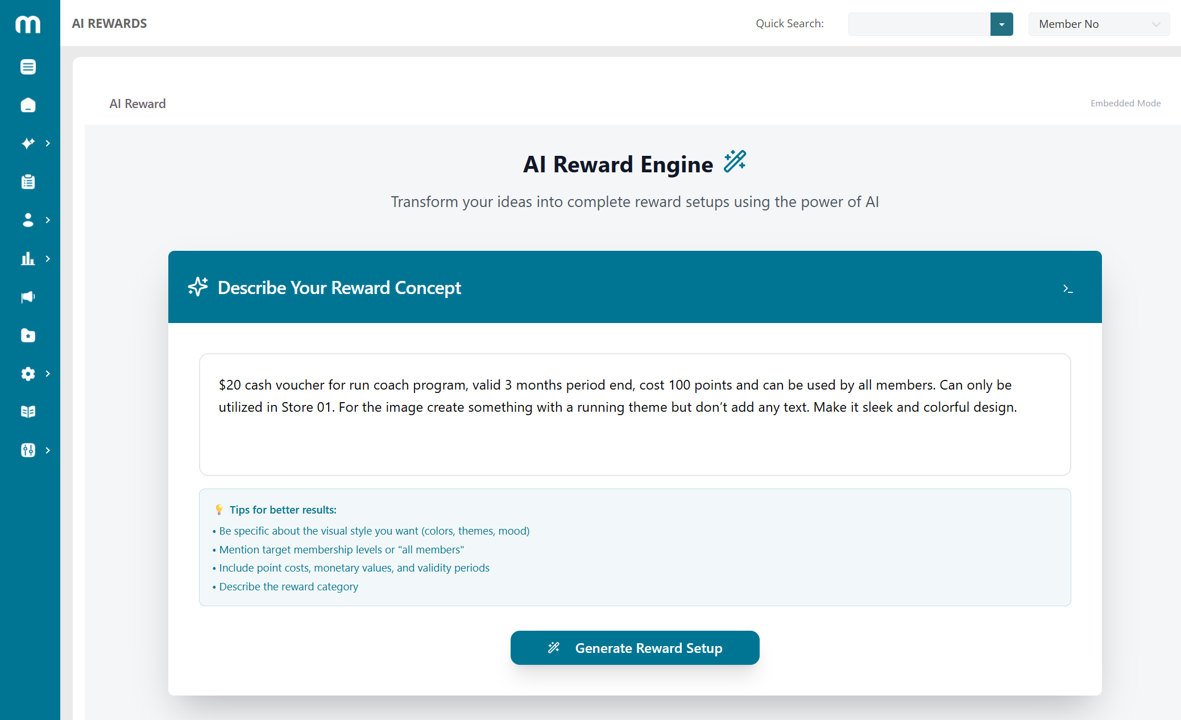
You start with typing in as little, or as much information you want about the reward that you wish to generate. The less information you type, the more the AI will need to assume and deduct in the set up.

If you are specific about areas such as value, applicable memberships, locations and similar, the more precise the suggested voucher set up will be. However, you could also just type one word and the AI will help generate a basic set of information that is needed for setting up the reward. For the example we will be a bit more precise and use the following instruction:

"$20 cash voucher for run coach program, valid 3 months period end, cost 100 points and can be used by all members. Can only be utilized in Store 01. For the image create something with a running theme but don’t add any text. Make it sleek and colorful design."
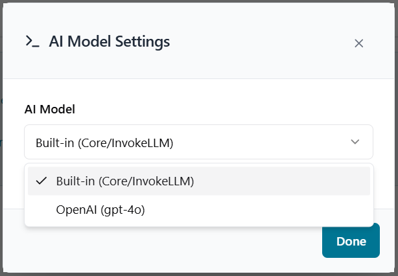
One important aspect is to ensure you are using AI agnostic solutions that can use multiple AI models or be extended with new models in the future if required. Since the AI landscape is changing rapidly you don’t want to lock yourself in to using only one model. For the AI Reward Engine you can select what model that you want to use via the icon to the right, see example below:
AI generates a structured reward setup

The AI will inspect and translate your input into valid reward set up based on the information that you provided. It will adhere to all data constraints and requirements and ensure all mandatory fields have a reasonable value even if no information was provided.

The information is divided into a base setting section with the information that is typically entered for rewards. More advanced setting will also be available for review.

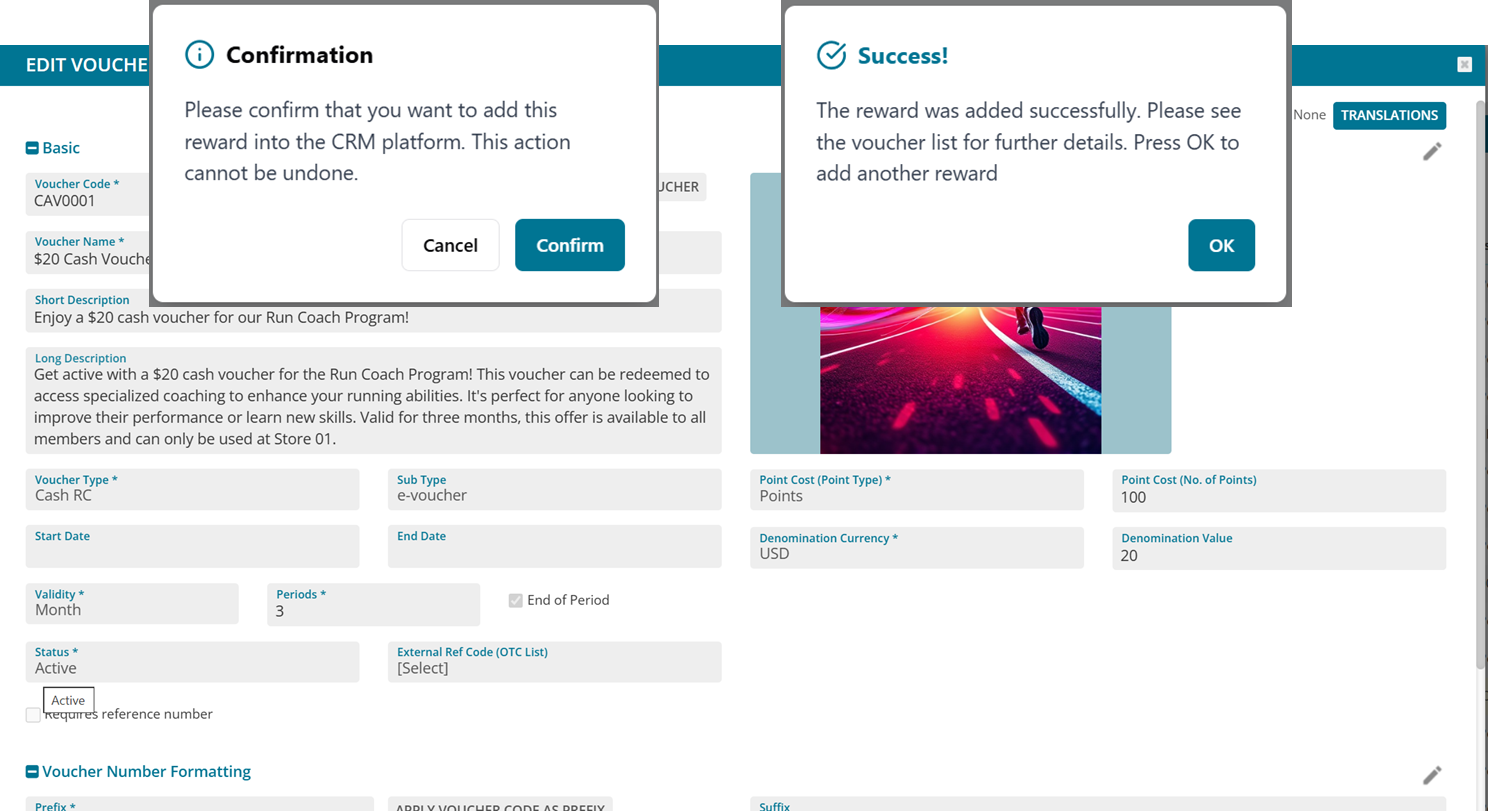
Below is the AI generated input based on the entered information. As you notice the validity, point cost, denomination, allowed memberships and utilize location is appropriately defined based on the input, while voucher name and descriptions are proposed by the AI since there was no direct specifications for those fields.

AI image creation that aligns to your reward description

The usefulness of the image created very much depends on what information you provided, how complex the request is, and the AI model used.

At this stage of AI image creation capabilities, we would recommend to use this as a source of inspiration. Via the buttons to the right of the image you can manage what image you want to use by downloading (and changing the image) and then uploading it.

Do note that the image is created based on a format that is accepted in Memberson CRM. However, based on the AI model used there may be different restrictions. For example, OpenAI DALL-E will generate images in png of the size 1024x1024, 1.5MB.

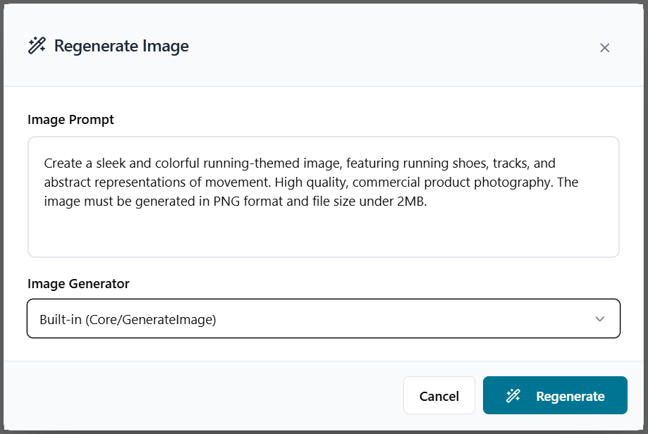
You have the option of regenerating the image using the regenerate button. When pressing this the exact text that the AI gave to the AI image generator is displayed and you can refine this and even change the AI model that generates the image.

Review, Refine, Edit: AI refinement or manual adjustments

Once the first set up is generated you typically want to go in an edit a few things or change certain aspects. This can easily be done by either using the Edit button that allows you to manually update and change every field, or you can use the Refine (AI) button that allows you to give more details to the AI for him to help you complete additional fields as necessary.

You can here also expand the Advanced Settings and add more specific details that you may want to add to the reward.

Automatically create a fully configured reward

Once you are satisfied with the reward you can press the Add Reward button. This will then create a voucher automatically in your voucher admin screen. You can then go in and do further adjustments or addition or issuing out the voucher to your members (via engagements, rules or member-initiated redemptions).

Loyalty Best Practices

Our Loyalty Best Practices consist of executable loyalty practices to drive specific KPIs of the loyalty program. The loyalty best practice database contains many different types of practices that you can use to deliver the right results for you. Please let us know if you are interested in receiving information about other loyalty best practices or have a more in-depth discussion on how the above loyalty best practice can be utilized in your organisation.

Thank you! Your submission has been received!
Oops! Something went wrong while submitting the form.